ProofGuard AI

Case management

One case record the whole firm works from

Law8 keeps clients, documents, deadlines and tasks in one shared case record. Give each follow-up an owner and a deadline, and find it again in the work queue.

  • Access by role and by matter
  • Deadlines and tasks with an owner
  • Unlimited users on every plan
In Law8
Access by role and by matter
Deadlines and tasks with an owner
Unlimited users on every plan

The problem

The problem

A trial attorney is out sick on the day a response is due. The deadline is on her calendar, the draft is in her folder and the reminder is in her inbox. The colleague covering for her spends the morning asking around, and a missed date becomes a malpractice question.

With Law8

Law8 keeps clients, documents, deadlines and tasks in one shared case record. Every follow-up has an owner and a deadline, so whoever covers a matter finds the next step in the work queue.

How it works, screen by screen

  1. See every matter

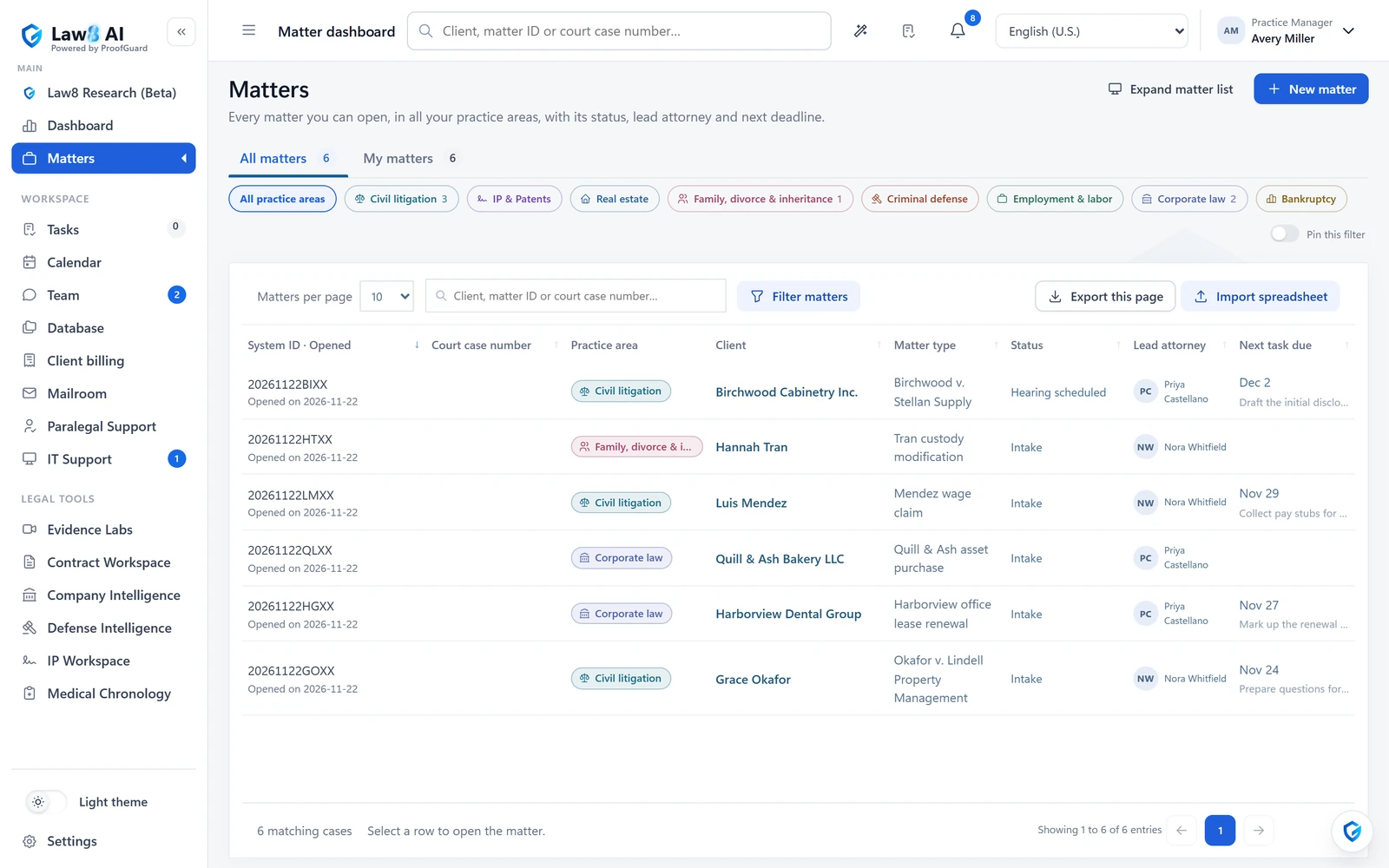
    The matter list shows every matter you can open, with practice area, client, status, lead attorney and the next task due.

  2. Open the matter

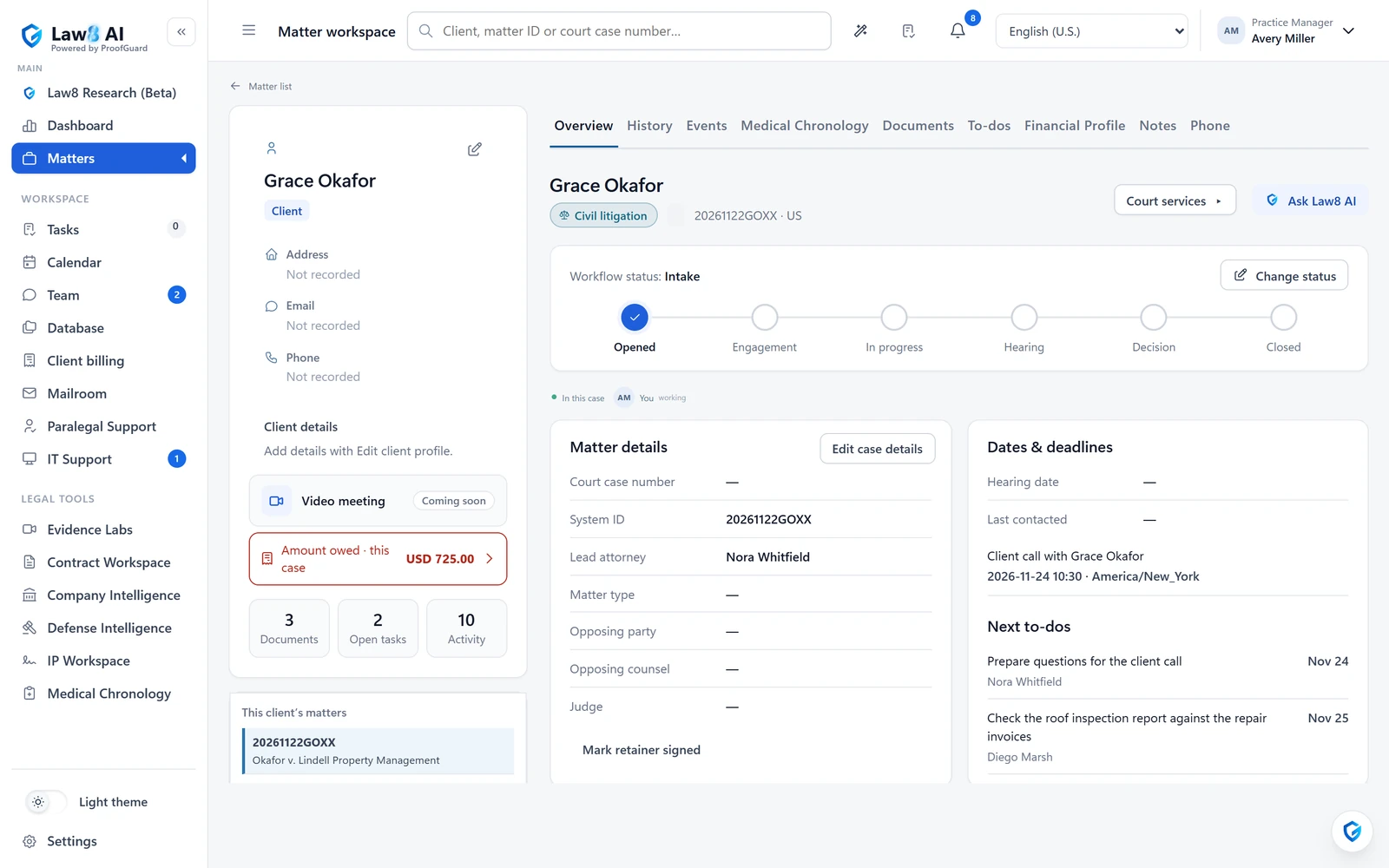
    A matter shows its status, its details, upcoming dates and the next to-dos with their owners.

  3. Work the queue

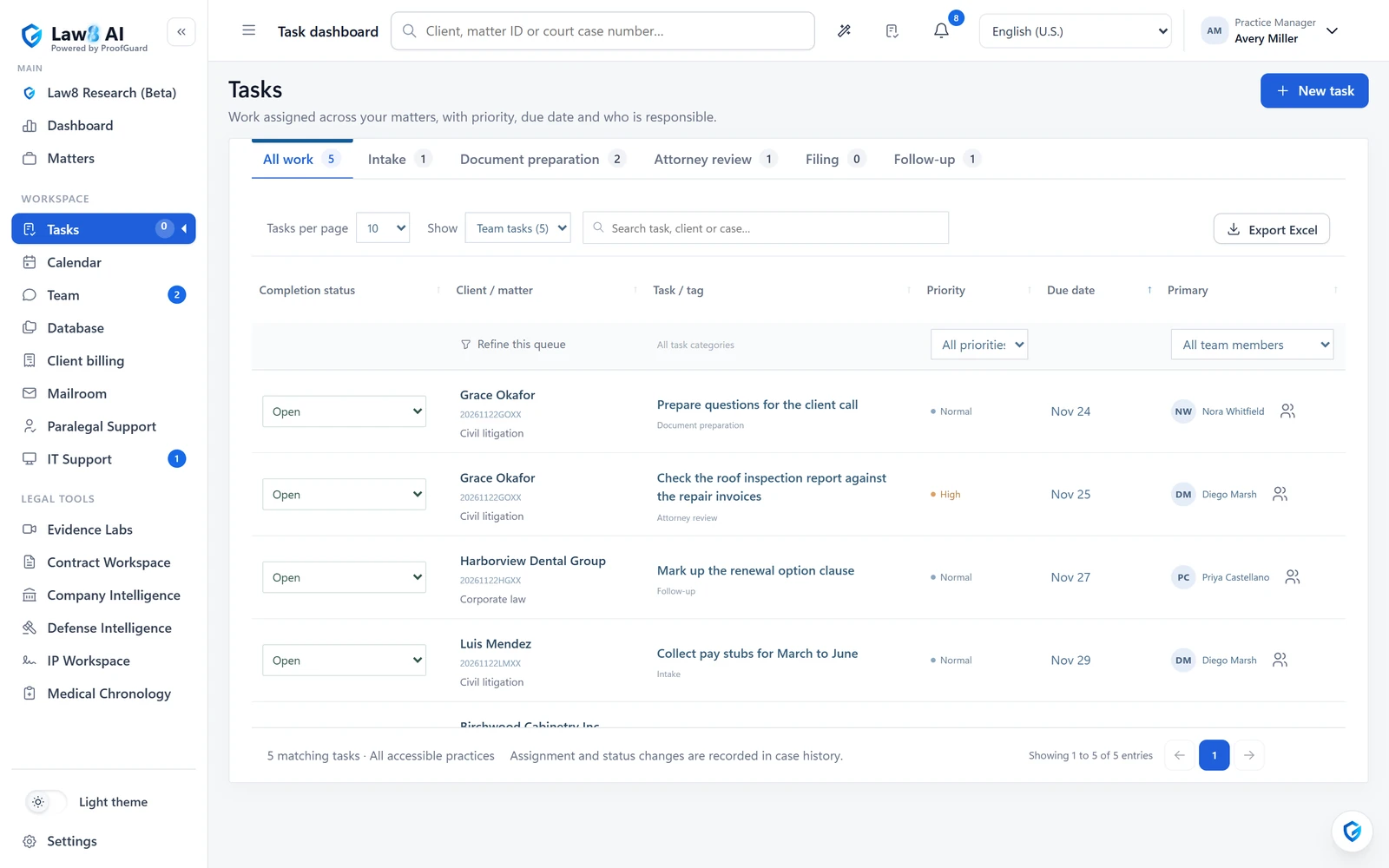
    Tasks lists the work assigned across matters with owner, priority and due date, so whoever covers knows what is next.

Screens from Law8 · fictional sample data

Matters: every matter the firm can open, with practice area, client, status, lead attorney and the next task due.
A matter opened: its workflow status, matter details, upcoming dates and the next to-dos with their owners.
Tasks: the work assigned across matters, with owner, priority and due date, such as the roof-inspection check assigned to Diego Marsh.

What your lawyers still decide

Attorneys decide what each matter needs, who does it and by when. Only attorneys and managers can assign a matter team, and the office manager decides who can open each matter.

Your lawyers keep the legal judgment, the advice, the client relationship and the responsibility for everything filed or sent. Law8 paralegals and IT specialists work at your lawyers’ direction. ProofGuard is not a law firm and does not practice law.

Your client data stays yours, and the whole firm can use it

Where the records stay

Matter records are stored on a Windows computer your firm controls, encrypted, with access set by role and matter. When you ask Law8 AI from a matter, only the inputs you select for that task are sent out for processing, to Law8’s AI service and the commercial AI services it uses for that task. The commercial AI services Law8 uses exclude business inputs and outputs from model training by default.

Everyone in the firm, one plan

Every plan includes unlimited users, so every attorney, paralegal and assistant works in the same case record, and a new hire adds no seat fee.

Bringing your records in

We support your firm through the whole move. Our team maps your records, imports supported data and documents, verifies the results with you, and onboards your staff. A manager can also import matters from a case spreadsheet.
Results as a Service (RaaS)

Need extra hands on this matter?

Request a paralegal or IT specialist inside Law8. An available member of our team takes the job, and your firm follows the work and reviews delivery in the same workspace. A Law8 paralegal can take on client follow-up, or organize and summarize a case file, from the same workspace. Law8 paralegals take any legal workflow task your lawyers assign, including legal research, beside drafting from your templates, organizing and summarizing case files, records requests and client follow-up. Your plan includes paralegal hours each month. First response within 6 hours, Monday to Friday.

How firms use this in practice

Civil litigation

Track an outstanding record

Record the provider and treatment period in the injury matter. Set a follow-up task for the missing records. When they arrive, add them to the case so the chronology reviewer can find the source.

Open the practice workflow
IP & patents

Act on a registry notice

Associate the official notice with the rights record, enter the date counsel has verified and assign the next action. The reviewer can return to the notice before approving the response.

Open the practice workflow

Law8

Why firms choose Law8

See what Law8 can take off your desk.

One plan for the whole firm, with AI credits, paralegal hours and IT tickets included.