Letters printed and mailed, without a trip to the post office
For eligible U.S. firms, upload the letter as a PDF, add the recipient, choose delivery and review the price before sending. Law8 prints and mails it, and you track the mailing in Law8.
A demand letter has to go out by certified mail today. Someone prints it, finds an envelope, fills in the return-receipt card and drives to the post office before it closes, and the receipt ends up in a desk drawer instead of the file.
With Law8
For eligible U.S. firms, upload the letter as a PDF, add the recipient, choose delivery and review the price before sending. Law8 prints and mails it, and you track the mailing in Law8.
How it works, screen by screen
Start from the matter
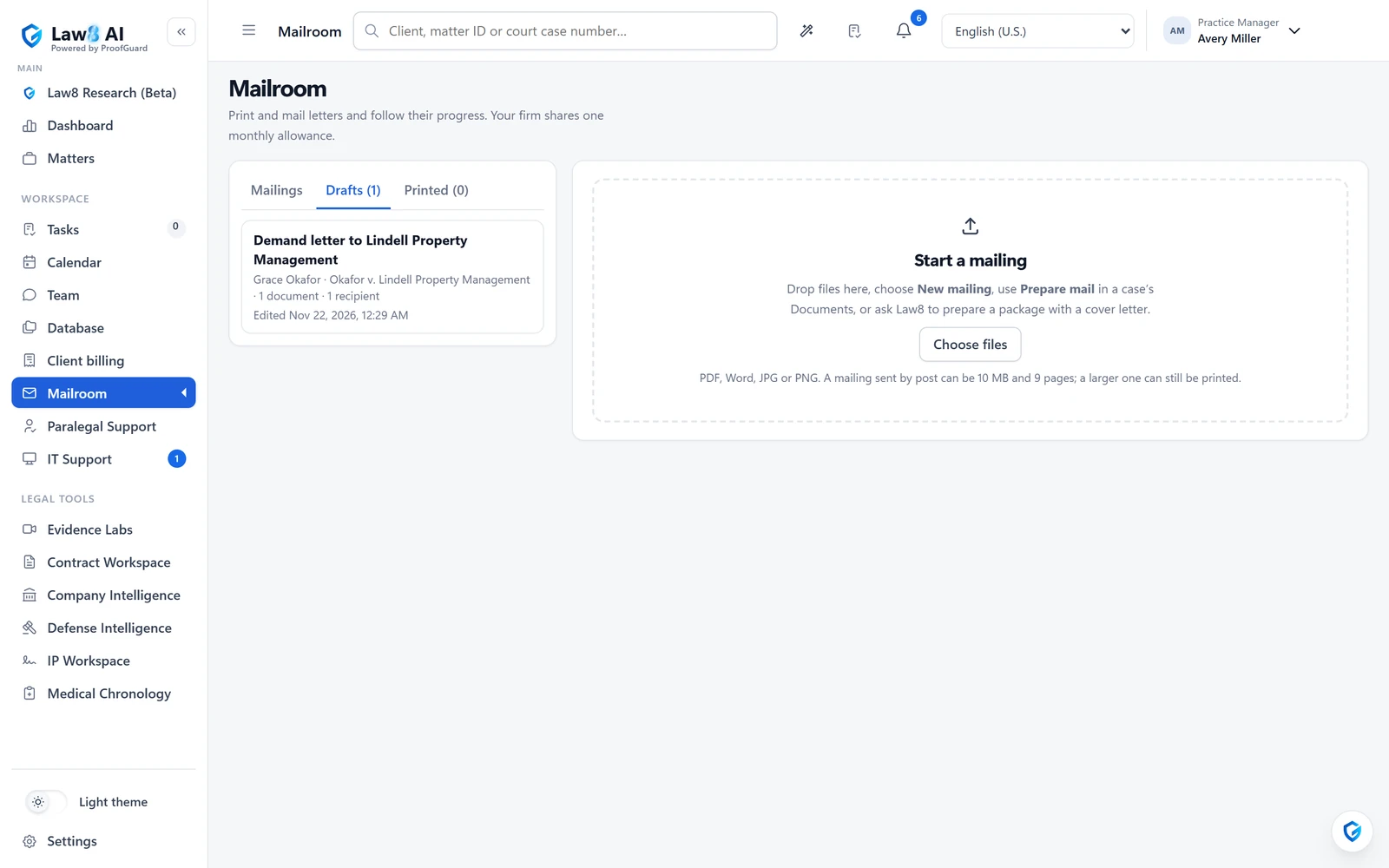
In the picture, the mailing draft for a demand letter is linked to its matter.
Attach and address
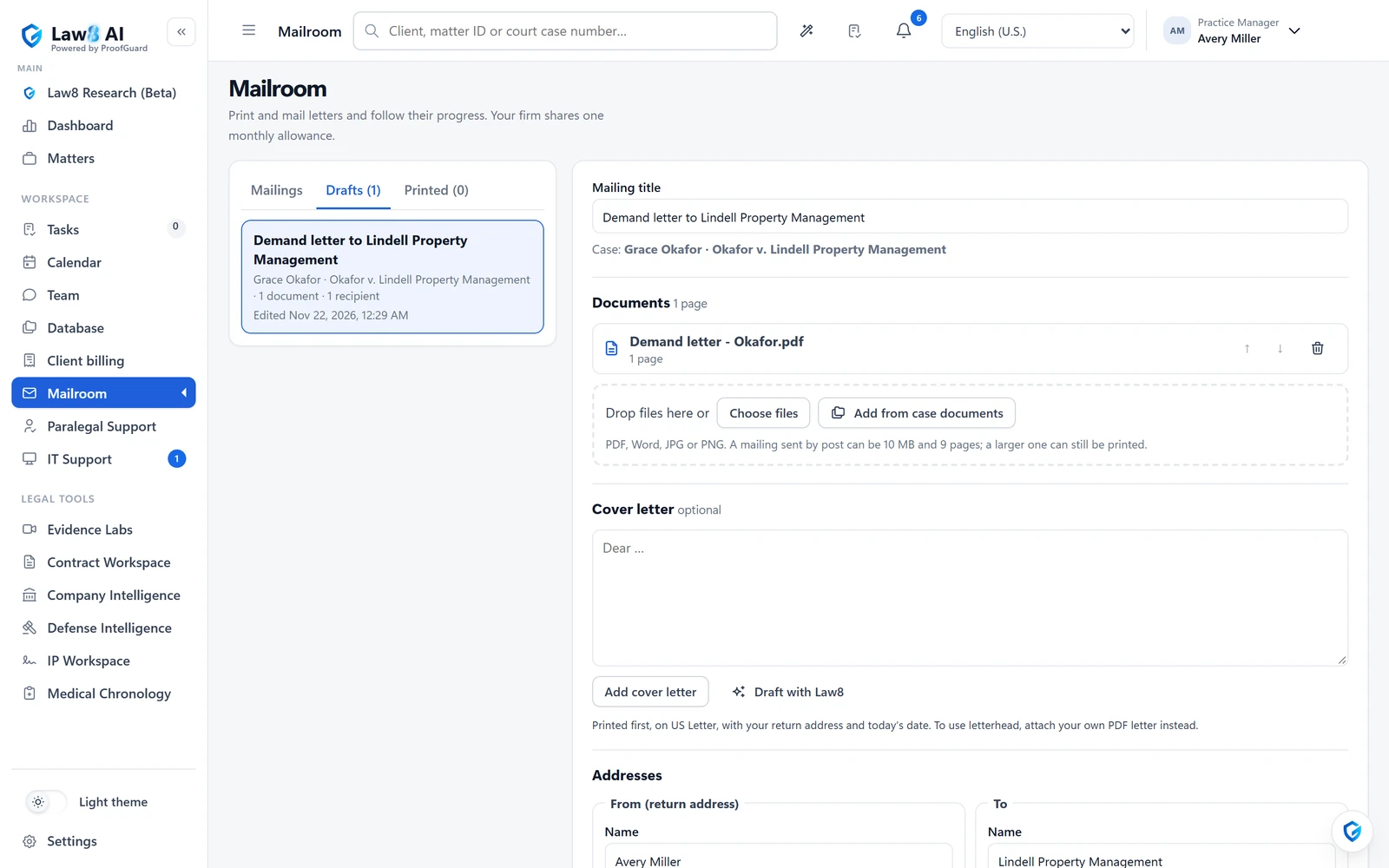
Attach the letter as a PDF, add an optional cover letter, and check the return and recipient addresses.
Choose delivery and send
Choose delivery, such as certified mail, review the price, then send. Track the mailing in Law8 after submission.
Screens from Law8 · fictional sample data
Mailroom (U.S. only): a mailing draft for the demand letter, linked to its matter.A mailing draft opened: the letter attached as a PDF, an optional cover letter, and the return and recipient addresses.
What your lawyers still decide
The attorney decides what is sent, to whom and by which delivery; Law8 prints and mails only what the firm submits.
Your lawyers keep the legal judgment, the advice, the client relationship and the responsibility for everything filed or sent. Law8 paralegals and IT specialists work at your lawyers’ direction. ProofGuard is not a law firm and does not practice law.
Your client data stays yours, and the whole firm can use it
Where the records stay
The draft and its letter stay in the firm’s workspace until you send. When you send, the PDF and the addresses go out for printing and mailing.
Everyone in the firm, one plan
Every plan includes unlimited users, so the whole firm works in the same workspace the mailings start from; printing and postage are billed separately.
Request a paralegal or IT specialist inside Law8. An available member of our team takes the job, and your firm follows the work and reviews delivery in the same workspace. A Law8 paralegal can draft the letter from your templates for the attorney to review before it goes out. Law8 paralegals take any legal workflow task your lawyers assign, including legal research, beside drafting from your templates, organizing and summarizing case files, records requests and client follow-up. Your plan includes paralegal hours each month. First response within 6 hours, Monday to Friday.
Choose the final PDF and verify the recipient against the transaction record. Review the delivery option and quoted charge, authorize the mailing, then check the available postal tracking when the team follows up.